
A Wayland desktop with scrolling layouts and a shared theme.
Ferese is a Linux desktop with scrolling columns, tree tiling, and floating windows. It includes a top bar, Settings, notifications, desktop widgets, a lock screen, and screen sharing. Change themes and settings without restarting. 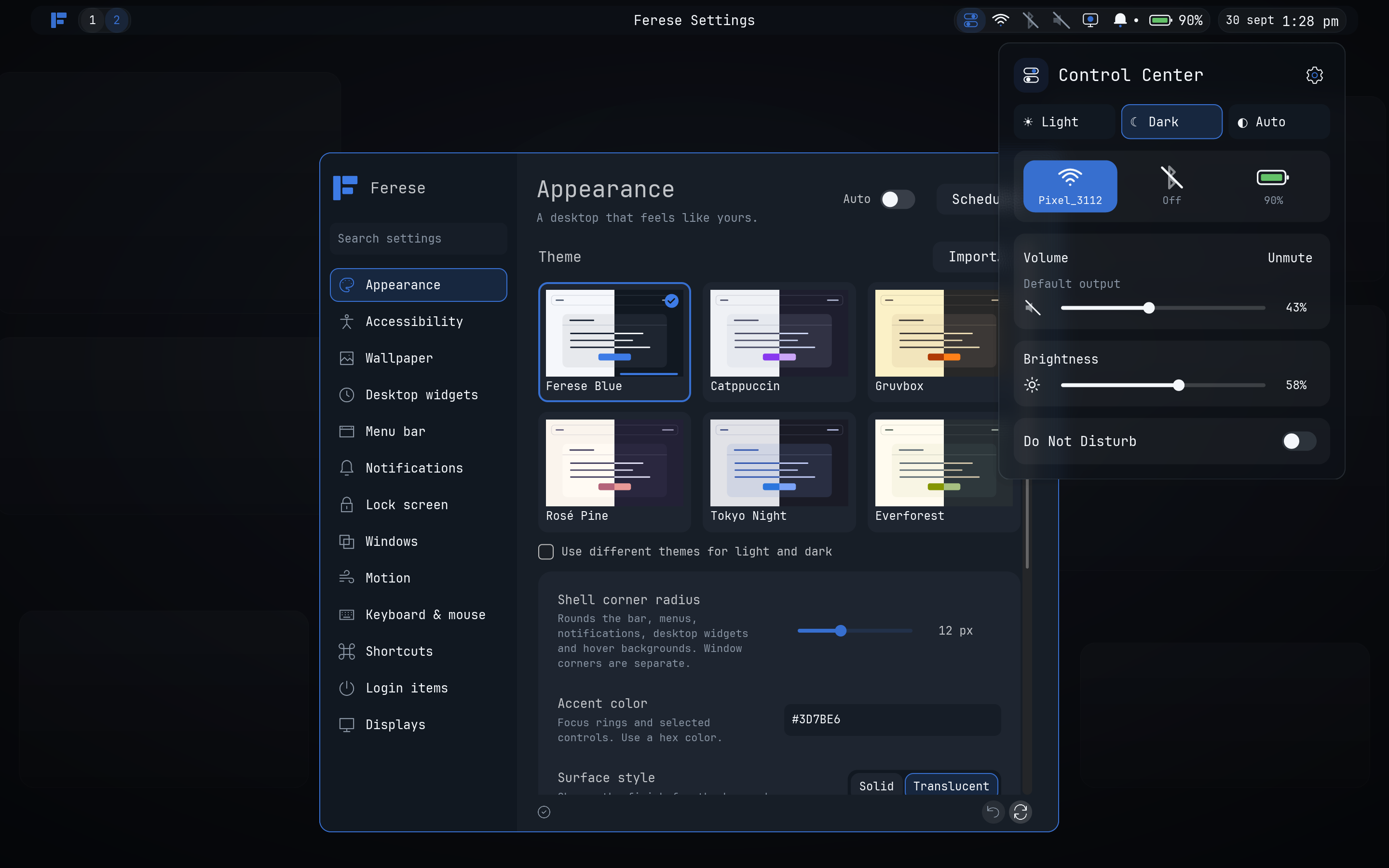 [View more screenshots](docs/screenshots.md). ## Features - Scrolling and tree layouts, floating windows, and a workspace overview. - Configurable keyboard shortcuts and touchpad gestures. - Multiple monitors with fractional scaling. - Six theme families, Light/Dark/Auto modes, custom KDL themes, wallpapers, blur, and adjustable corners. - Clock and sticky-note widgets. - Screenshots with Satty editing, screen sharing, and top-bar recording. ## Install Install the [dependencies](docs/installation.md#requirements), then build as your normal user: ```sh git clone https://github.com/ferese-wm/ferese.git cd ferese ./scripts/install.sh ``` Log out, select **Ferese** at your login screen, and sign in. For a TTY or a greeter that accepts a command, run `ferese-session`. See [Installation](docs/installation.md) for previews, updates, and recovery. ## Configure Open **Control Center → Settings**, or edit `~/.config/ferese/config.kdl`. Changes reload automatically; invalid edits keep the last working configuration. See the [configuration reference](docs/configuration.md) and [example config](packaging/config.kdl). ## Default shortcuts `Super` is usually the Windows key. Change shortcuts and gestures in **Settings → Shortcuts**. | Control | Action | | --- | --- | | Super + Enter | Open a terminal | | Super + H / J / K / L | Focus left / down / up / right | | Super + F | Maximize the window | | Super + Shift + F | Toggle fullscreen | | Super + R | Cycle column width | | Super + Tab | Open overview | | Super + M | Switch scrolling / tree layout | | Print Screen | Capture the active monitor and open Satty | | Super + Shift + S | Select a screenshot area | | Super + Shift + E | Ask to log out | | Super + left-button drag | Move a floating window | | Super + right-button drag | Resize a floating window | | Three-finger swipe up / down | Next / previous workspace | | Three-finger swipe left / right | Focus the window to the right / left | See [all shortcuts and mouse actions](docs/shortcuts.md), including Super-drag to move and Super-right-drag to resize floating windows. ## Documentation Start with the [documentation index](docs/README.md) for user guides and [development instructions](docs/development.md) for builds and testing. Ferese is written in Rust using Smithay. Report bugs on [GitHub](https://github.com/ferese-wm/ferese/issues) with reproduction steps and logs.